Download Center
Xenium Explorer 4.1.1 (Dec 11, 2025)
- Download for WindowsFile size: 121 MBmd5sum: 712baf0227cad3affc8677bea98ba4a0
- Download for MacOSFile size: 169 MBmd5sum: 99d67fe7db56f6530051c145d0718751
Download is unavailable on mobile devices.
Xenium Explorer 4.1.1 highlights
- Create and edit region annotations directly in Xenium Explorer, as well as annotations imported from third party tools.
- Bulk export of Xenium In Situ coordinates, cell, transcript, and protein data from annotated regions for downstream analysis.
- Assign custom colors to cluster groups in the cell group CSV file.
- And more - see full release notes.
System Requirements
Windows
- Windows 11 (64-bit) or later
- 32GB RAM
- SSD storage
- Discrete GPU
macOS
- macOS 14 (Sonoma) or later
- 32GB RAM
- SSD storage
- Discrete GPU or Apple M2+ silicon
Performance Notes
- When viewing data on an external storage device, such as an external hard drive or NAS, the application's interactivity may be impacted by data transfer from the device.
Installation
Windows
Xenium Explorer for Windows is distributed as a self-installing .exe file. Double-click on the downloaded file to install.
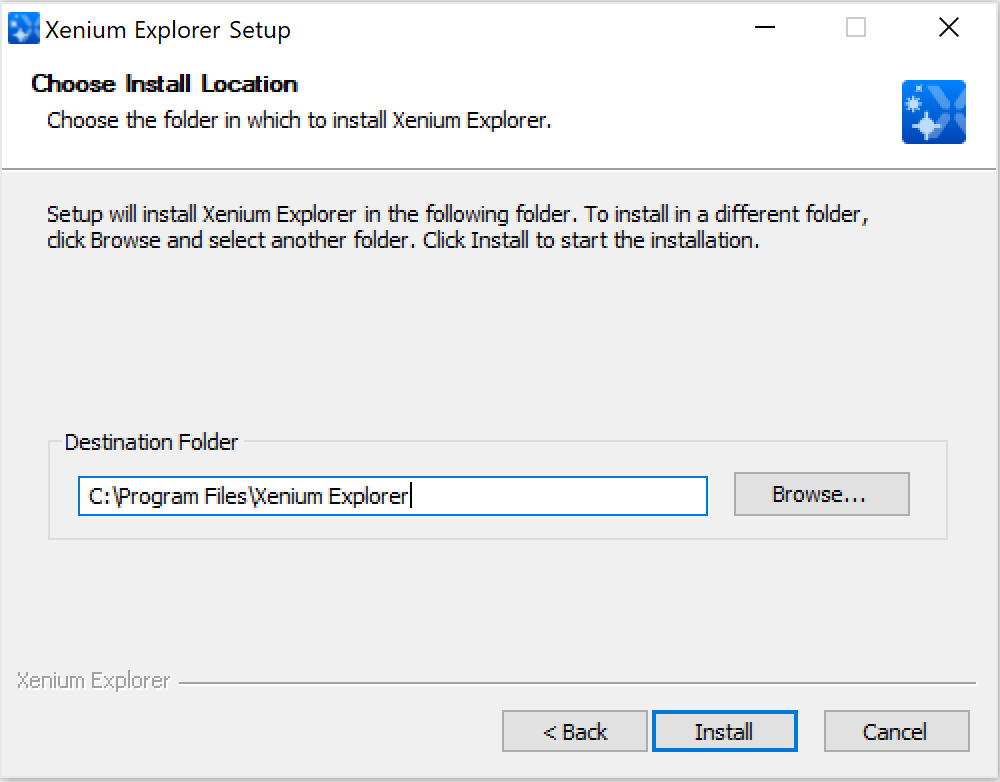
Follow the prompt to choose an installation folder. After installation, open Xenium Explorer by double-clicking on the desktop icon, or double-clicking on an experiment.xenium file on your computer.
macOS
Xenium Explorer for Mac is distributed as a .dmg file. Double-click to open the file. Then install Xenium Explorer by dragging the icon into the Applications folder. Open Xenium Explorer by double-clicking on the app icon.
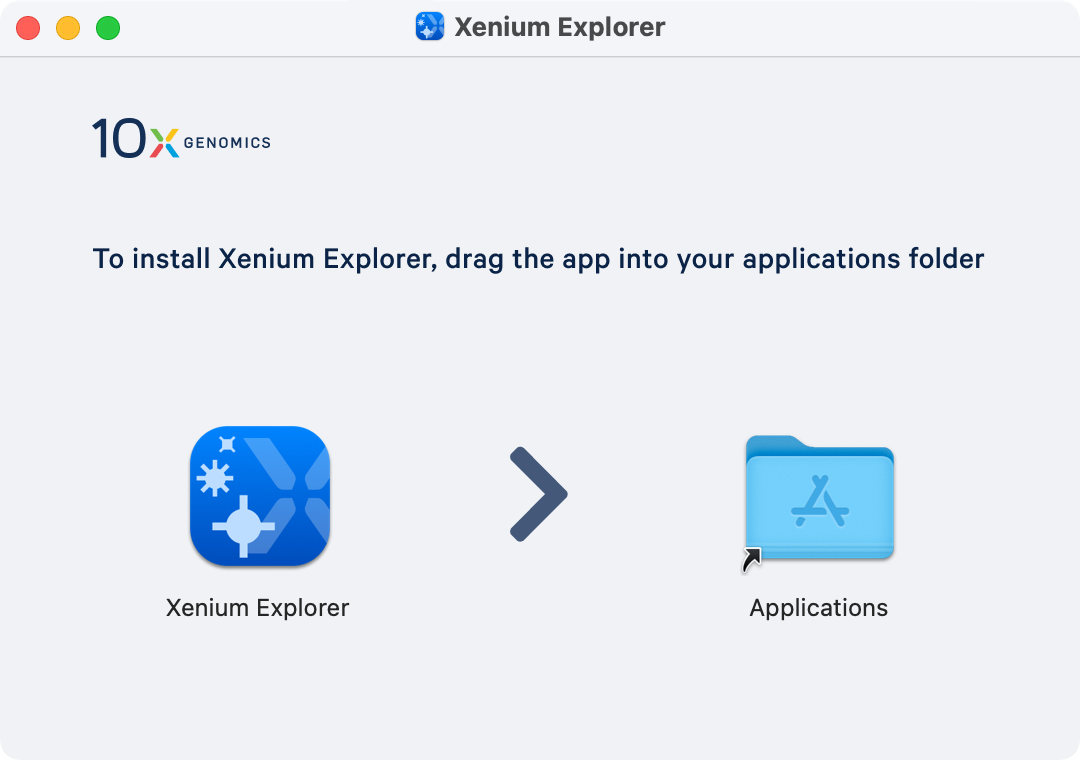
After installation, Xenium Explorer can then be opened within the Applications folder, by double-clicking the Xenium Explorer icon on the desktop, or by double-clicking on an experiment.xenium file on your computer.